Developer Demo
Media & DAM Assets
Modelling image properties#
Image fields use type: "contentReference" with allowedTypes: ["_image"]. This restricts the CMS picker to image assets only. The same pattern applies to video and file references. SDK docs ↗
// Single image field on a content type.
// type: "contentReference" with allowedTypes: ["_image"] restricts the picker
// to image assets only.

export const ImageBlockType = contentType({
  key: "ImageBlock",
  baseType: "_component",
  properties: {
    image:   { type: "contentReference", allowedTypes: ["_image"] },
    altText: { type: "string", displayName: "Alt Text" },
    caption: { type: "string", displayName: "Caption" },
  },
});

// Array of images (e.g. a logo grid):
// Use type: "array" with items: { type: "content", allowedTypes: ["_image"] }
// Graph inline-expands array items automatically - no extra fetch needed.
logos: {
  type: "array",
  items: { type: "content", allowedTypes: ["_image"] },
}// Asset reference fields for the different media types.
// allowedTypes restricts the CMS picker to the matching asset kind.
// Images - single reference or an array:
avatar: { type: "contentReference", allowedTypes: ["_image"] }
logos: { type: "array", items: { type: "content", allowedTypes: ["_image"] } }
// Video and file references:
document: { type: "contentReference", allowedTypes: ["_file"] }
video: { type: "contentReference", allowedTypes: ["_video"] }Two Graph response shapes#
Graph returns image references in different shapes depending on how the content was fetched. Content queried through a composition (Visual Builder page, content area) nests the URL under _metadata.url.default. Content queried directly via a page query returns the URL at url.default without the _metadata wrapper. A small helper that checks both shapes keeps component code clean.
Composition context
Block rendered inside Visual Builder or fetched via getContentByPath.
image._metadata.url.defaultDirect page query
Block queried with a custom request() call that requests the reference field explicitly.
image.url.default// Graph returns image references in two different shapes depending on context.
// Shape A - composition context (Visual Builder / content area array item):
// The image comes back nested under _metadata:
{
_metadata: {
url: { default: "https://cms.optimizely.com/globalassets/hero.jpg" },
displayName: "Hero background"
}
}
// Shape B - page query context (contentReference field queried directly):
// The url object is at the top level of the reference:
{
url: { default: "https://cms.optimizely.com/globalassets/hero.jpg" }
}
// A defensive helper handles both shapes in one place
// (src/components/blocks/_shared/contentRefs.ts):
type ImageRef =
| { url?: { default?: string | null } | null; _metadata?: { url?: { default?: string | null } | null } | null }
| null;
function resolveImageUrl(ref: ImageRef | undefined, src?: (input: never) => string | undefined): string | null {
if (!ref) return null;
// src() from getPreviewUtils resolves a DAM asset (item.Url) and adds the preview token.
return src?.(ref as never) ?? ref.url?.default ?? ref._metadata?.url?.default ?? null;
}
// Usage in the component:
const { src } = getPreviewUtils(data);
const avatarUrl = resolveImageUrl(data.avatar, src);damAssets() for responsive srcsets and DAM alt text#
The SDK ships a damAssets() helper that builds responsive srcset strings, reads alt text stored in the DAM (rather than as a separate CMS property), and provides TypeScript type guards for distinguishing image, video, and raw file references. It also appends the preview token to image URLs automatically when rendering in edit mode, so DAM images load correctly in the Visual Builder editor without extra code. SDK docs ↗
// damAssets() - SDK helper for responsive srcsets and DAM-stored alt text.
// Use it when you want responsive images without manually building srcset strings,
// or when alt text is stored in the DAM rather than as a separate CMS property.

import { damAssets } from "@optimizely/cms-sdk";

export default function HeroBlock({ content }) {
  const { getSrcset, getAlt, isDamImageAsset } = damAssets(content);

  // getSrcset builds a srcset string from the asset's pre-generated Renditions:
  // "https://...hero.jpg/rendition1 100w, https://...hero.jpg/rendition2 500w, ..."
  // In edit mode it appends the preview token to each rendition URL automatically.
  const srcset = getSrcset(content.backgroundImage);

  // getAlt pulls alt text stored in the DAM, falling back to the provided string:
  const alt = getAlt(content.backgroundImage, "Hero image");

  // isDamImageAsset / isDamVideoAsset / isDamRawFileAsset are TypeScript type guards:
  if (!isDamImageAsset(content.backgroundImage)) return null;

  return (
    <img
      src={content.backgroundImage.item.Url}
      srcSet={srcset}
      sizes="100vw"
      alt={alt}
      className="w-full h-auto"
    />
  );
}

// Note: getSrcset returns a plain srcset string for <img>, not a Next.js <Image>.
// Use Next.js <Image> with a fixed src when you want automatic format conversion (WebP/AVIF).
Live example - getSrcset output rendered as a real image

srcset: https://images1.cmp.optimizely.com/assets/Pandas.jpg/de3a279ef77811f0b938e24c027d659d 100w, https://images1.cmp.optimizely.com/assets/Pandas.jpg/e7e62fc6cef711f0b939162bee84ea3a 500w, https://images1.cmp.optimizely.com/assets/Pandas.jpg/c04b03acf77811f0b938e24c027d659d 700w, https://images1.cmp.optimizely.com/assets/Pandas.jpg/Zz04MGM1Yzk2YzViNDUxMWYwYjZjMjI2Y2Q3YjRiOGM3OA== 5456w
getSrcset() walks the Renditions array in ascending width order. The original URL is appended as the largest candidate so the browser always has a full-resolution fallback. On desktop, drag the bottom-right handle and check DevTools → Network → Img to see which entry is fetched at each width.
In edit mode getSrcset() automatically appends the CMS preview token to each rendition URL so DAM images load correctly in Visual Builder without extra code.
getAlt() returns AltText stored on the DAM asset, falling back to the string you provide - here “Pandas”.
Use damAssets when
- →You want responsive srcset strings without building them manually
- →Alt text is managed in the DAM rather than as a CMS property
- →You need to distinguish image vs video vs file references at runtime
- →You want preview token handling in edit mode without custom code
Use direct URL access when
- →You only need the URL for a Next.js <Image> (which handles srcset internally)
- →Alt text is a separate string property on the content type
- →The image is always the same type - no type guard needed
- →You want minimal SDK surface area in the component
DAM renditions and srcset#
DAM images in Graph expose pre-generated renditions via cmp_PublicImageAsset. When an editor picks the original asset, which size to serve is up to your code (they can also pick one specific rendition instead - see editor-picked renditions below). When your DAM stores size variants of the same image - a thumbnail, medium, and large version of the same composition - build a srcset string from the Renditions array and let the browser download the smallest one that fits the rendered width. Always pair srcSet with a sizes attribute - without it the browser assumes 100vw and downloads the largest file on every viewport. To skip building this string manually, use damAssets().getSrcset() above.
// Graph fragment - cmp_PublicImageAsset fields are PascalCase.
// Each Renditions entry is a physically separate pre-generated file, not a resize parameter.
fragment RenditionImageFields on RenditionImageBlock {
  image {
    ... on cmp_PublicImageAsset {
      Renditions {
        Name
        Url
        Width
        Height
      }
      Url
    }
  }
}const RENDITION_WIDTHS: Record<string, number> = {
thumbnail: 480,
medium: 1280,
large: 1920,
};
const srcset = (content.image?.Renditions ?? [])
.filter((r) => RENDITION_WIDTHS[r.Name] !== undefined)
.map((r) => `${r.Url} ${RENDITION_WIDTHS[r.Name]}w`)
.join(", ");
<img
src={content.image?.Url}
srcSet={srcset}
sizes="(max-width: 480px) 100vw, (max-width: 768px) 50vw, 700px"
alt={alt}
/>Live examples
The browser picks one rendition at load time and locks it in for that page load. To see a different rendition: resize the browser window to a new breakpoint, then hard reload. DevTools → Network → Img shows which URL was fetched.
Otters.jpg - srcset with original
3402 × 3402 original included as the largest candidate. Resize your browser viewport and hard reload - DevTools → Network → Img shows which URL was fetched.
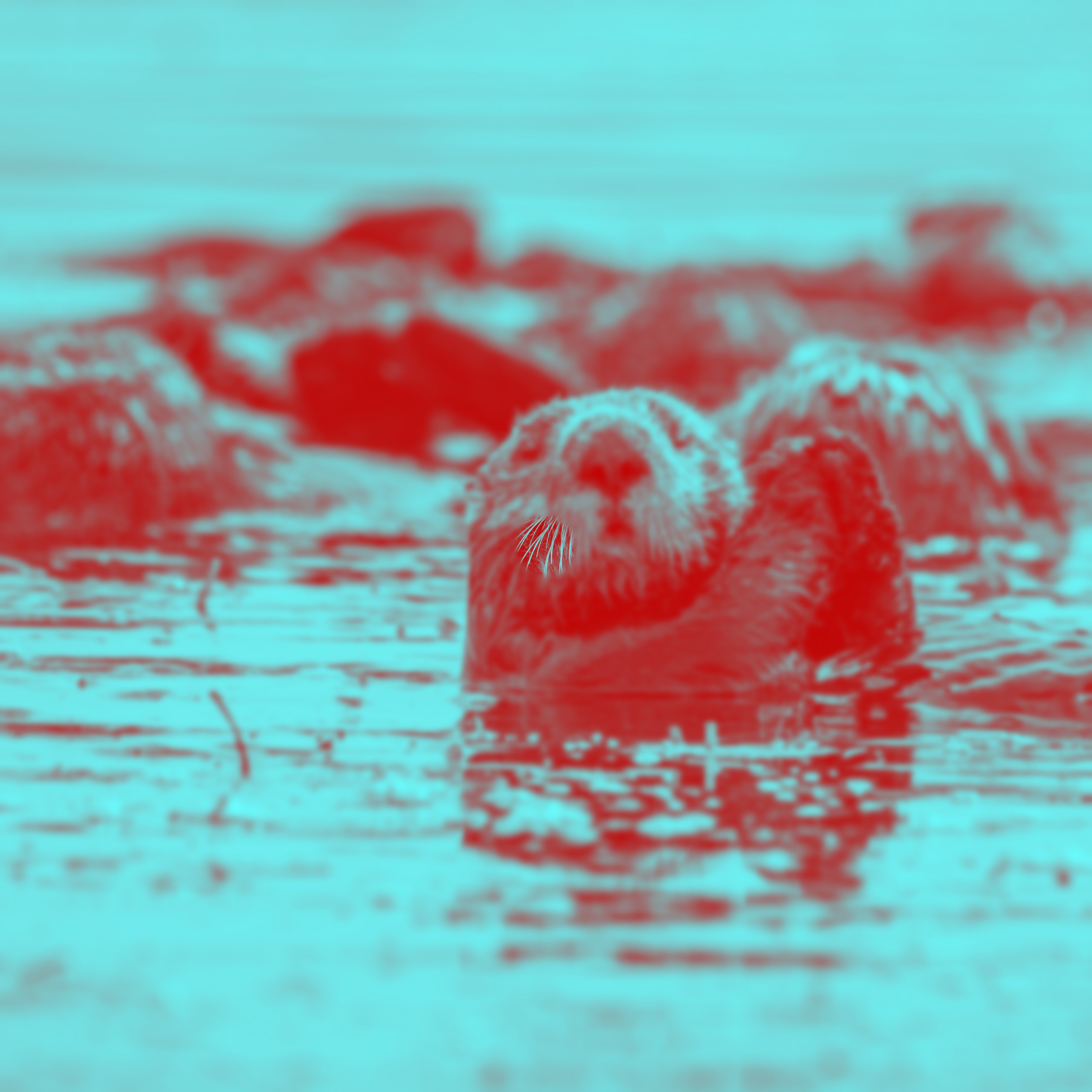
src=original (3402px) • sizes="≤300px→100w, ≤600px→500w, ≤1100px→700w, 3402w"
Pandas.jpg - original + three renditions
5456 × 3632 original. Three pre-generated renditions from the same DAM instance.
Original
5456 × 3632

100px crop
100 × 67

500x500 WEBP
500 × 500

700px Crop
700 × 466
CDN on-the-fly resizing#
Renditions above are pre-generated files - if an editor never created the size you need, the srcset falls back to the full-resolution original (the 5456px Pandas). CMP public asset URLs avoid that: append ?width=, height, action=crop, and center_width/center_height (a 0-100 focal point) and the CMP host resizes on the fly. There is no native image loader doing this - the URLs are built by two small custom helpers, damImageUrl and buildDamSrcset (shown below), that just append the query params the host understands. The ImageBlock and RenditionImageBlock build their srcset this way, cropping server-side so no downloaded pixels are thrown away. Support article ↗
Three constraints to remember
- →Params work only on
*.cmp.optimizely.comDAM URLs. CMS globalassets and Graph CDN ignore them, so the helper is host-gated and passes those through unchanged. - →There is no format or quality param. Resizing reduces bytes via dimensions, not by forcing WebP/AVIF - the
500x500 WEBPrendition still matters when you specifically want WebP output. - →Params work on rendition URLs too, and the CDN upscales. Do not run a rendition an editor picked through these helpers - see editor-picked renditions.
// CMP public asset URLs support on-the-fly resizing via query params - so you
// can request any width/crop without a pre-generated rendition existing.
// Params (from the Optimizely support article):
//   width, height        - target pixels
//   action               - crop | padding | border | crop+rescale (lowercase)
//   center_width/_height - focal point 0-100 (%) so the crop keeps the subject
// Note: params work ONLY on *.cmp.optimizely.com. There is no format/quality
// param, so this reduces bytes via dimensions, not by forcing WebP/AVIF.

import { damImageUrl, buildDamSrcset } from "@/lib/optimizely/damImage";

// Single sized URL (host-gated: a non-DAM URL is returned unchanged):
const thumb = damImageUrl(image.item.Url, { width: 300 });

// 16:9 crop with a lower focal point:
const hero = damImageUrl(image.item.Url, {
  width: 1600, height: 900, action: "crop", centerHeight: 40,
});

// A full responsive srcset at real display widths, independent of renditions:
const srcSet = buildDamSrcset(image.item.Url, [400, 800, 1200, 1600], {
  action: "crop",
  aspectRatio: 9 / 16,   // height / width
});

<img src={damImageUrl(image.item.Url, { width: 1280 })} srcSet={srcSet}
sizes="(max-width: 1280px) 100vw, 1280px" alt={alt} />// src/lib/optimizely/damImage.ts
// Returns the URL unchanged if it is not a CMP DAM URL; otherwise merges the
// resize params via the WHATWG URL API so any existing query string (e.g. a
// preview token) is preserved rather than clobbered.
export function damImageUrl(url: string, opts: DamResizeOpts): string {
if (!isDamUrl(url)) return url;
const u = new URL(url);
const set = (key: string, value: number | string | undefined) => {
if (value !== undefined && value !== null && value !== "") {
u.searchParams.set(key, String(value));
}
};
set("width", opts.width);
set("height", opts.height);
set("action", opts.action);
set("center_width", opts.centerWidth);
set("center_height", opts.centerHeight);
return u.toString();
}
// Builds a "url 400w, url 800w, ..." srcSet by requesting each width from the
// CDN. Returns undefined for non-DAM URLs so callers can fall back to the SDK's
// rendition-based getSrcset().
export function buildDamSrcset(
url: string,
widths: number[] = DEFAULT_DAM_WIDTHS,
opts: DamSrcsetOpts = {},
): string | undefined {
if (!isDamUrl(url)) return undefined;
const { aspectRatio, ...resize } = opts;
return widths
.map((w) => {
const height =
aspectRatio !== undefined ? Math.round(w * aspectRatio) : undefined;
return `${damImageUrl(url, { ...resize, width: w, height })} ${w}w`;
})
.join(", ");
}Live example - same asset, different CDN params
width=300 (no crop)

https://images1.cmp.optimizely.com/assets/Pandas.jpg/Zz04MGM1Yzk2YzViNDUxMWYwYjZjMjI2Y2Q3YjRiOGM3OA==?width=300
400x400 Crop, focal 40%

https://images1.cmp.optimizely.com/assets/Pandas.jpg/Zz04MGM1Yzk2YzViNDUxMWYwYjZjMjI2Y2Q3YjRiOGM3OA==?width=400&height=400&action=crop¢er_height=40
Both images come from the same base URL - only the query string differs. No matching rendition has to exist.
Open DevTools → Network → Img and reload to confirm each request carries its width/action params and returns a smaller file than the original.
16:9 srcset: https://images1.cmp.optimizely.com/assets/Pandas.jpg/Zz04MGM1Yzk2YzViNDUxMWYwYjZjMjI2Y2Q3YjRiOGM3OA==?width=400&height=225&action=crop 400w, https://images1.cmp.optimizely.com/assets/Pandas.jpg/Zz04MGM1Yzk2YzViNDUxMWYwYjZjMjI2Y2Q3YjRiOGM3OA==?width=800&height=450&action=crop 800w, https://images1.cmp.optimizely.com/assets/Pandas.jpg/Zz04MGM1Yzk2YzViNDUxMWYwYjZjMjI2Y2Q3YjRiOGM3OA==?width=1200&height=675&action=crop 1200w
Editor-picked renditions#
Since the 9 October 2026 CMS release, the DAM picker has a Renditions tab. An editor can choose one of an image's renditions (a crop, a smaller size, another format) instead of the original, and that rendition becomes the image. The choice is stored on the property itself, so an ordinary contentReference image field needs no extra property and no rendition name in code. Release notes ↗
Original asset picked
- →Stored as
cms://content/DamImageSource/{assetId} - →
url.defaultis the full-resolution original - →
itemis acmp_PublicImageAssetwithRenditions,AltTextandFocalPoint
Rendition picked
- →Stored as
cms://content/DamImageSourceRendition/{renditionId} - →
url.defaultis the rendition file itself - →
itemis acmp_PublicImageAssetRenditionwithRenditionName,AssetId,WidthandHeight. It has no alt text and no renditions of its own
// Stored on the property (Management API value):
//   original asset picked:  "cms://content/DamImageSource/{assetId}"
//   rendition picked:       "cms://content/DamImageSourceRendition/{renditionId}"

// Graph, for a picked rendition (item fields as the fragment alongside selects them):
image {
  key: "c04b03acf77811f0b938e24c027d659d",      // the rendition id, not the asset id
  url: {
    default:  "https://images1.cmp.optimizely.com/assets/Pandas.jpg/c04b03ac...",
    internal: "cms://content/DamImageSourceRendition/c04b03ac...?loc=en",
    graph:    "graph://cmp/cmp_PublicImageAssetRendition/c04b03ac..."
  },
  item: {
    __typename:    "cmp_PublicImageAssetRendition",
    RenditionName: "700px Crop",
    AssetId:       "80c5c96c5b4511f0b6c226cd7b4b8c78",   // the original asset
    Url:           "https://images1.cmp.optimizely.com/assets/Pandas.jpg/c04b03ac...",
    Width: 700,
    Height: 466
    // No AltText and no Renditions - those live on the original asset.
  }
}// cms-sdk 3.0.2 spreads only cmp_PublicImageAsset / Video / RawFile under item,
// so a picked rendition arrives as { __typename } and nothing else. Add the
// rendition type to a query of your own to read its name and dimensions.
fragment PickedImage on ContentReference {
key
url { default graph }
item {
__typename
... on cmp_PublicImageAsset {
Url Width Height AltText
Renditions { Name Url Width Height }
}
... on cmp_PublicImageAssetRendition {
RenditionName AssetId Url Width Height
}
}
}What the SDK helpers return
The query cms-sdk 3.0.2 generates has no case for the rendition type, so item arrives as a bare __typename. Graph reports that as cmp_Asset, not the rendition type, so do not branch on it. src() still resolves correctly because it reads url.default before item.Url. Any component that renders through src() or the url.default fallback therefore shows the picked rendition with no code change. The helpers below ran against that reference when this page rendered.
Pandas.jpg with the 700px Crop rendition picked (700 × 466)
- src(image)
- https://images1.cmp.optimizely.com/assets/Pandas.jpg/c04b03acf77811f0b938e24c027d659d
- The rendition file, from url.default
- getSrcset(image)
- undefined
- No Renditions on the item, so nothing to build from
- getAlt(image, fallback)
- Alt text from the CMS property
- No AltText on the item, so the fallback you pass
- isDamImageAsset(image)
- false
- The type guard only matches cmp_PublicImageAsset
- image.url.graph
- graph://cmp/cmp_PublicImageAssetRendition/c04b03acf77811f0b938e24c027d659d
- Already in the SDK's query - the reliable way to detect a pick
Do not resize the editor's pick
The CDN resize params also work on a rendition URL, and the CDN upscales: the 700 × 466 rendition requested at width=1600 comes back 1600 × 1065. A fixed-width CDN srcset therefore enlarges a small rendition, and an aspect-ratio crop crops the editor's crop again. Detect the pick from url.graph and serve the file as-is. If you need a srcset, query the rendition's Width with the fragment above and leave out every candidate wider than it. ImageBlock and RenditionImageBlock do the former through isPickedRendition() (source below). In RenditionImageBlock, a picked rendition also overrides the block's own Crop property.
buildDamSrcset(rendition): https://images1.cmp.optimizely.com/assets/Pandas.jpg/c04b03acf77811f0b938e24c027d659d?width=400 400w, https://images1.cmp.optimizely.com/assets/Pandas.jpg/c04b03acf77811f0b938e24c027d659d?width=800 800w, https://images1.cmp.optimizely.com/assets/Pandas.jpg/c04b03acf77811f0b938e24c027d659d?width=1200 1200w, https://images1.cmp.optimizely.com/assets/Pandas.jpg/c04b03acf77811f0b938e24c027d659d?width=1600 1600w
// The SDK's query already selects url { graph }, so a picked rendition is
// detectable without a custom fragment.
const RENDITION_GRAPH_PREFIX = "graph://cmp/cmp_PublicImageAssetRendition/";
const isPickedRendition = (ref) =>
  ref?.url?.graph?.startsWith(RENDITION_GRAPH_PREFIX) ?? false;

const { src } = getPreviewUtils(content);
const { getSrcset, getAlt } = damAssets(content);

// src() reads url.default first - the rendition file when one was picked.
const imageUrl = src(content.image);

// The editor already chose the size and crop: serve that file as-is rather
// than a CDN srcset that would upscale it or crop the crop again.
const srcSet = isPickedRendition(content.image)
  ? undefined
  : buildDamSrcset(imageUrl) ?? getSrcset(content.image);

// A rendition has no AltText, so keep an alt text property on the type.
const alt = getAlt(content.image, content.altText ?? "");

<img src={imageUrl} srcSet={srcSet} alt={alt} />
Choosing a rendition in code instead
A rendition property, or a rendition name in the component, still fits when the design should own the crop rather than the editor: every card in a grid the same shape, whichever asset is picked. Add a string enum whose values match the rendition names in your DAM exactly, and look the rendition up by name in item.Renditions. That array only exists when the original asset was picked, so the lookup falls through to whatever URL the reference carries once an editor picks a rendition in the picker.
// Add a rendition enum alongside the image field.
// Enum values must match rendition names in your DAM instance exactly -
// these are the names shown in the DAM, not file names or URLs.
export const MediaBlockType = contentType({
  key: "MediaBlock",
  baseType: "_component",
  properties: {
    image: { type: "contentReference", allowedTypes: ["_image"] },
    rendition: {
      type: "string",
      enum: [
        { value: "portrait-crop",  displayName: "Portrait (cards, profile images)" },
        { value: "landscape-crop", displayName: "Landscape (heroes, banners)" },
      ],
    },
    altText: { type: "string" },
  },
});

// The GraphQL fragment is the same as for srcset - query Renditions regardless.
fragment MediaBlockFields on MediaBlock {
  image {
    ... on cmp_PublicImageAsset {
      Renditions { Name Url Width Height }
      Url
    }
  }
  rendition
  altText
}// Walk the Renditions array to find the author-selected rendition by name.
// Fall back through base Url, then both Graph shapes for the image URL.
const renditions = content.image?.Renditions ?? [];
const matched = renditions.find((r) => r.Name === content.rendition);
const src =
matched?.Url ?? // rendition-specific file
content.image?.Url ?? // base DAM URL (original)
content.image?._metadata?.url?.default ?? // composition-context shape
content.image?.url?.default; // direct page query shape
// Use matched dimensions for layout shift prevention when available:
<Image
src={src}
alt={content.altText ?? ""}
width={matched?.Width ?? 1200}
height={matched?.Height ?? 800}
className="w-full h-auto"
/>Allowlisting CMS domains in next.config#
Next.js <Image> blocks remote images from any domain not listed in remotePatterns. The error is a 400 at runtime, not a build-time failure - easy to miss locally if the images happen to load from cache. Three patterns are needed: one for CMS-uploaded assets (**.cms.optimizely.com), one for DAM assets served by CMP (**.cmp.optimizely.com - images are served from subdomains like images1, images2, images3), and one for Graph CDN delivery (cg.optimizely.com).
// next.config.ts - allowlist Optimizely domains before using next/image.
// Missing entries cause a 400 error at runtime, not at build time.

images: {
  remotePatterns: [
    {
      protocol: "https",
      hostname: "**.cms.optimizely.com",  // CMS-uploaded assets (globalassets, etc.)
    },
    {
      protocol: "https",
      hostname: "**.cmp.optimizely.com",  // DAM assets served from CMP (images1/2/3.cmp.optimizely.com)
    },
    {
      protocol: "https",
      hostname: "cg.optimizely.com",       // Graph CDN delivery
    },
  ],
},

// If editors can add external image URLs (e.g. a url property type), add those
// domains too - or use loader: "custom" to proxy all images through your own origin.
Image proxying in production#
For production sites, consider proxying DAM images through your own domain rather than loading them directly from Optimizely CDN subdomains. This keeps asset URLs stable if Optimizely's CDN hostnames change, lets you set your own Cache-Control headers, and avoids exposing third-party hostnames in your page HTML.
A minimal Next.js route handler fetches the image server-side and streams it back. Always validate the source hostname before fetching - without it the route becomes an open proxy that anyone can use to fetch arbitrary URLs through your origin.
Alternative - configure the Media hostname in the CMS UI
Rather than proxying at request time, you can tell the CMS to index media URLs under your own domain from the start. In the CMS go to Settings → Applications → Hostnames, find the Media entry, and overwrite it with your domain. Graph will then store and return asset URLs rooted at your hostname rather than the default Optimizely CDN subdomains - no proxy route or remotePatterns rewrites needed on the Next.js side. Use this approach when you want the URL change to be reflected in Graph itself, so all clients (not just your frontend) see your domain.
// src/app/api/image-proxy/route.ts
// A simple Next.js route handler that fetches the image server-side and streams
// it back. Validate the source hostname before fetching to prevent open-proxy abuse.

const ALLOWED_HOSTS = [".cms.optimizely.com", ".cmp.optimizely.com"];

export async function GET(req: Request) {
  const src = new URL(req.url).searchParams.get("src") ?? "";
  let srcHostname = "";
  try { srcHostname = new URL(src).hostname; } catch {}
  if (!ALLOWED_HOSTS.some((h) => srcHostname.endsWith(h))) {
    return new Response("Forbidden", { status: 403 });
  }
  const upstream = await fetch(src);
  return new Response(upstream.body, {
    headers: {
      "Content-Type": upstream.headers.get("Content-Type") ?? "image/jpeg",
      "Cache-Control": "public, max-age=31536000, immutable",
    },
  });
}

// Then use the proxy URL as the src:
// <Image src={`/api/image-proxy?src=${encodeURIComponent(damUrl)}`} ... />
Live example - image loaded through /api/image-proxy

/api/image-proxy?src=https%3A%2F%2Fimages1.cmp.optimizely.com%2Fassets%2FPandas.jpg%2Fc04b03acf77811f0b938e24c027d659d
The image URL in the page HTML is /api/image-proxy?src=... - your own origin, not images1.cmp.optimizely.com.
Open DevTools → Network → Img and reload to confirm the request goes to /api/image-proxy and returns with your Cache-Control: immutable header.
Requesting a URL from a non-allowed host (e.g. example.com) returns 403 Forbidden.
Next.js Image patterns#
Three patterns cover the main CMS image use cases. Use fill when the container controls the dimensions (hero backgrounds, logo grids). Use fixed width and height for thumbnails and avatars. Use natural dimensions for editorial images where the asset's own aspect ratio should flow into the layout. Always provide a sizes prop with fill so the browser downloads an appropriately sized image on mobile.
// Three Next.js <Image> usage patterns for CMS images.

// 1. Fill - for images in a sized container (hero backgrounds, logo grids)
//    Parent must be position: relative and have explicit dimensions.
<div className="relative w-full h-64 overflow-hidden">
  <Image src={imageUrl} alt={altText} fill className="object-cover" />
</div>

// 2. Fixed size - for avatars and thumbnails where dimensions are known
<Image src={avatarUrl} alt={name} width={72} height={72} className="rounded-full object-cover" />

// 3. Natural editorial image - provide a maximum intrinsic size and let CSS flow the layout
<Image src={imageUrl} alt={altText} width={1200} height={675} className="w-full h-auto" />

// sizes prop - always provide it with fill to avoid downloading full-width images on mobile:
<Image
  src={logoUrl}
  alt={logoName}
  fill
  className="object-contain"
  sizes="(max-width: 768px) 96px, 128px"
/>
Key Things to Know#
- →Graph returns two different shapes for image references. Composition context gives
_metadata.url.default; direct page queries giveurl.default. Write a defensive helper that checks both. - →Allowlist all three Optimizely domains in next.config before using <Image>.
**.cms.optimizely.comfor CMS assets,**.cmp.optimizely.comfor DAM assets from CMP, andcg.optimizely.comfor Graph CDN. Missing any one causes a 400 at runtime - not caught at build time. - →Always provide a sizes prop when using fill. Without it Next.js defaults to 100vw, causing the browser to download a full-width image even on mobile devices.
- →Always pair srcSet with a sizes attribute. Without sizes the browser assumes 100vw and downloads the largest srcset candidate on every viewport. Use
damAssets().getSrcset()to build the srcset string from the asset's pre-generated DAM renditions automatically, or build it manually from theRenditionsarray when you need custom filtering. - →Image arrays use type: "array" with items: type: "content". Graph inline-expands these automatically - all
_metadatafields arrive with the page query, no extra fetch needed. - →damAssets() handles preview token injection automatically. If you pass a DAM image ref through
getSrcset()in edit mode, the helper appends the preview token so the image loads correctly in Visual Builder. - →CMP public URLs resize on the fly - no rendition required. Append
width/height/action=crop/center_widthparams to any*.cmp.optimizely.comURL and the CDN returns that size. Use it (host-gated) to build a responsive srcset independent of pre-made renditions. There is no format/quality param, so it saves bytes by dimensions only. - →Editors can pick a DAM rendition in the picker, and it arrives as url.default. The property stores
cms://content/DamImageSourceRendition/{id}and Graph pointsurl.defaultat the rendition file, sosrc()renders it unchanged. cms-sdk 3.0.2 does not query the rendition's own fields (getSrcsetandgetAltfall back,isDamImageAssetis false) and the CDN will upscale it, so detect it fromurl.graphand serve it as-is. - →Choose a rendition in code only when the design should own the crop. When an editor picks the original asset, build a srcset so the browser picks by viewport width. Add a rendition name property, or hard-code the name, only when every placement must have the same shape whichever asset is picked.
Source files5 files
import { contentType, displayTemplate, damAssets } from "@optimizely/cms-sdk";
import { getPreviewUtils } from "@optimizely/cms-sdk/react/server";
import {
  BACKGROUND_NONE_DEFAULT, TEXT_COLOR, FONT_STYLE, SPACING, isChecked, pageContainer, resolveStyleClasses, spacingClass,
  type Placement,
} from "../_shared/displayTemplateSettings";
import { buildDamSrcset, damImageUrl } from "@/lib/optimizely/damImage";
import { isPickedRendition, resolveImageUrl } from "../_shared/contentRefs";
import { asDamContent, asSdkContent, asSdkReference } from "@/components/cms/sdkTypes";

export const ImageBlockType = contentType({
  key: "ImageBlock",
  displayName: "Image Block",
  baseType: "_component",
  compositionBehaviors: ["sectionEnabled", "elementEnabled"],
  properties: {
    // No indexingType: the SDK omits indexingType:"disabled" reference fields from
    // its generated fragment (createQuery), so the image would never be queried.
    // Also takes CMP DAM images where the CMS has DAM: scripts/push-dam-allowed-types.ts.
    image: { type: "contentReference", displayName: "Image", allowedTypes: ["_image"] },
    rendition: {
      type: "string",
      displayName: "Image Rendition",
      enum: [
        { value: "100px crop",   displayName: "Thumbnail (100px crop)" },
        { value: "500x500 WEBP", displayName: "Medium (500x500 WEBP)" },
        { value: "700px Crop",   displayName: "Large (700px crop)" },
      ],
    },
    altText: { type: "string", displayName: "Alt Text", isLocalized: true },
    caption: { type: "string", displayName: "Caption", isLocalized: true },
  },
});

export const ImageBlockDefaultTemplate = displayTemplate({
  key: "ImageBlockDefaultTemplate",
  isDefault: true,
  displayName: "Default",
  contentType: "ImageBlock",
  settings: {
    ...BACKGROUND_NONE_DEFAULT,
    ...TEXT_COLOR,
    ...FONT_STYLE,
    ...SPACING,
    aspectRatio: {
      editor: "select",
      displayName: "Aspect ratio",
      sortOrder: 10,
      choices: {
        auto: { displayName: "Auto",           sortOrder: 0 },
        r16x9: { displayName: "16:9 Widescreen", sortOrder: 1 },
        r4x3:  { displayName: "4:3 Standard",    sortOrder: 2 },
        r1x1:  { displayName: "1:1 Square",      sortOrder: 3 },
      },
    },
    rounded: {
      editor: "checkbox",
      displayName: "Rounded corners",
      sortOrder: 11,
      choices: {},
    },
  },
});

interface ImageBlockData {
  // DAM assets expose Url/Renditions under image.item; the SDK's src()/getSrcset
  // read that. CMS globalassets expose their URL at image.url.default (page query)
  // or image._metadata.url.default (composition), handled by the fallbacks below.
  image?: {
    url?: { default?: string | null } | null;
    _metadata?: { url?: { default?: string | null } | null } | null;
  } | null;
  rendition?: string | null;
  altText?: string | null;
  caption?: string | null;
}

type ImageBlockProps = ImageBlockData & {
  content?: ImageBlockData;
  displaySettings?: Record<string, string | boolean>;
  placement?: Placement;
};

// Choice keys cannot contain "/" or ":", so map them to valid CSS aspect-ratio values
const ASPECT_RATIOS: Record<string, string> = {
  r16x9: "16 / 9",
  r4x3:  "4 / 3",
  r1x1:  "1 / 1",
};

// Same choices as height/width, used to ask the CDN for a server-side crop so we
// don't download the pixels CSS object-cover would clip away.
const CROP_RATIOS: Record<string, number> = {
  r16x9: 9 / 16,
  r4x3:  3 / 4,
  r1x1:  1,
};

// DAM FocalPoint (when present) is normalized 0-1; the CDN wants 0-100 percentages.
function focalPercent(image: unknown): { centerWidth?: number; centerHeight?: number } {
  const fp = (image as { item?: { FocalPoint?: { x?: unknown; y?: unknown } | null } | null } | null)?.item?.FocalPoint;
  if (!fp || typeof fp.x !== "number" || typeof fp.y !== "number") return {};
  const pct = (n: number) => Math.round((n <= 1 ? n * 100 : n));
  return { centerWidth: pct(fp.x), centerHeight: pct(fp.y) };
}

export default function ImageBlock(props: ImageBlockProps) {
  const data = props.content ?? props;
  const ds = props.displaySettings;
  const { pa, src } = getPreviewUtils(asSdkContent(data));
  const { getSrcset, getAlt } = damAssets(asDamContent(data));

  // src() resolves the DAM asset URL (image.item.Url) and appends the preview
  // token in edit mode; the fallbacks cover CMS globalassets (no DAM item).
  const imageUrl = resolveImageUrl(data.image, src);

  if (!imageUrl) return null;

  const altText = getAlt(asSdkReference(data.image), data.altText ?? "");

  const isRounded = isChecked(ds, "rounded");
  const ratioKey = (ds?.aspectRatio as string) || "auto";
  const aspectRatio = ASPECT_RATIOS[ratioKey];
  const cropRatio = CROP_RATIOS[ratioKey];

  // Prefer CDN on-the-fly resizing for DAM URLs: builds a responsive srcset at
  // real display widths (independent of whatever renditions the asset has). When
  // an aspect ratio is chosen, crop server-side with the asset's focal point.
  // Falls back to the SDK's rendition-based srcset for CMS globalassets.
  // A rendition the editor picked skips the CDN entirely (the CDN would upscale
  // it); the aspect ratio still applies, but only as the CSS box below.
  const pickedRendition = isPickedRendition(data.image);
  const cdnSrcSet = pickedRendition
    ? undefined
    : buildDamSrcset(
        imageUrl,
        undefined,
        cropRatio
          ? { action: "crop", aspectRatio: cropRatio, ...focalPercent(data.image) }
          : {},
      );
  const srcSet = cdnSrcSet ?? getSrcset(asSdkReference(data.image));
  // Cap the base src (the srcSet fallback) so it is never the full-res original.
  const baseSrc = pickedRendition ? imageUrl : damImageUrl(imageUrl, { width: 1280 });
  const style = resolveStyleClasses(ds, { background: "transparent" });

  return (
    <figure
      data-component="ImageBlock"
      className={`${pageContainer(props.placement, "max-w-7xl mx-auto px-8") || (style.wrapper ? "px-8" : "")} ${spacingClass(ds, "py-8")} ${style.wrapper ? `${style.wrapper} rounded-2xl` : ""}`}
    >
      <div
        className={`relative overflow-hidden ${isRounded ? "rounded-2xl" : ""}`}
        style={aspectRatio ? { aspectRatio } : undefined}
      >
        {/* eslint-disable-next-line @next/next/no-img-element -- DAM URLs carry a preview token; next/image would re-optimise and strip it */}
        <img
          src={baseSrc}
          srcSet={srcSet}
          sizes="(max-width: 1280px) 100vw, 1280px"
          alt={altText}
          loading="lazy"
          decoding="async"
          className={`${aspectRatio ? "absolute inset-0 h-full w-full object-cover" : "w-full h-auto"} ${isRounded ? "rounded-2xl" : ""}`}
        />
      </div>
      {data.caption && (
        <figcaption
          {...pa("caption")}
          className={`text-sm mt-4 text-center ${style.font} ${style.textMuted}`}
        >
          {data.caption}
        </figcaption>
      )}
    </figure>
  );
}
import Image from "next/image";
import { contentType, displayTemplate, damAssets } from "@optimizely/cms-sdk";
import { getPreviewUtils } from "@optimizely/cms-sdk/react/server";
import {
  BACKGROUND_NONE_DEFAULT, TEXT_COLOR, TEXT_ALIGN, FONT_STYLE, TEXT_ALIGN_CLASSES,
  isChecked, resolveStyleClasses, withDefault, HEADING_SIZE, SPACING, CONTENT_WIDTH, alignBoxClass, spacingClass, widthClass,
} from "../_shared/displayTemplateSettings";
import { BlockHeader } from "../_shared/BlockHeader";
import { resolveImageUrl, type ImageRef } from "../_shared/contentRefs";
import { asDamContent, asSdkContent, asSdkReference } from "@/components/cms/sdkTypes";

export const LogoGridBlockType = contentType({
  key: "LogoGridBlock",
  displayName: "Logo / Partner Grid",
  baseType: "_component",
  compositionBehaviors: ["sectionEnabled"],
  properties: {
    heading:    { type: "string", displayName: "Heading",    isLocalized: true },
    subheading: { type: "string", displayName: "Subheading", isLocalized: true },
    logos: {
      type: "array",
      displayName: "Partner Logos",
      // contentReference, not content: only a reference field gets the CMS's DAM image
      // picker. A DAM asset is not _IContent, so a content area cannot hold one.
      // No indexingType: "disabled" here - it drops the field from Graph and the SDK query.
      // Also takes CMP DAM images where the CMS has DAM: scripts/push-dam-allowed-types.ts.
      items: { type: "contentReference", allowedTypes: ["_image"] },
    },
  },
});

export const LogoGridBlockDefaultTemplate = displayTemplate({
  key: "LogoGridBlockDefaultTemplate",
  isDefault: true,
  displayName: "Default",
  contentType: "LogoGridBlock",
  settings: {
    ...BACKGROUND_NONE_DEFAULT,
    ...TEXT_COLOR,
    ...withDefault(HEADING_SIZE, "sm"),
    ...withDefault(TEXT_ALIGN, "center"),
    ...FONT_STYLE,
    ...SPACING,
    ...CONTENT_WIDTH,
    size: {
      editor: "select" as const,
      displayName: "Logo size",
      sortOrder: 10,
      choices: {
        default: { displayName: "Standard", sortOrder: 0 },
        sm:      { displayName: "Small",    sortOrder: 1 },
        lg:      { displayName: "Large",    sortOrder: 2 },
      },
    },
    fullColor: {
      editor: "checkbox" as const,
      displayName: "Full color logos",
      sortOrder: 11,
      choices: {},
    },
    showNames: {
      editor: "checkbox" as const,
      displayName: "Show partner names",
      sortOrder: 12,
      choices: {},
    },
  },
});

// An image reference: { key, url } for CMS media, plus the DAM asset under `item`
// (Url, Title, AltText) when the instance has DAM.
type LogoItem = NonNullable<ImageRef> & { item?: { Title?: string | null } | null };

interface LogoGridData {
  heading?:    string | null;
  subheading?: string | null;
  logos?:      Array<LogoItem | null> | null;
}

type LogoGridBlockProps = LogoGridData & {
  content?: LogoGridData;
  displaySettings?: Record<string, string | boolean>;
};

const PLACEHOLDER_COUNT = 6;

const LOGO_SIZES: Record<string, { wrapper: string; imgSizes: string }> = {
  sm:      { wrapper: "w-24 h-12", imgSizes: "96px" },
  default: { wrapper: "w-32 h-16", imgSizes: "128px" },
  lg:      { wrapper: "w-40 h-20", imgSizes: "160px" },
};

const FLEX_ALIGN: Record<string, string> = {
  left:   "justify-start",
  center: "justify-center",
  right:  "justify-end",
};

export default function LogoGridBlock(props: LogoGridBlockProps) {
  const data = props.content ?? props;
  const ds = props.displaySettings;
  const { pa, src } = getPreviewUtils(asSdkContent(data));
  const { getAlt } = damAssets(asDamContent(data));

  const isColor = isChecked(ds, "fullColor");
  const showNames = isChecked(ds, "showNames");
  const sizeKey = (ds?.size as string) || "default";
  const { wrapper: logoWrapper, imgSizes } = LOGO_SIZES[sizeKey] ?? LOGO_SIZES["default"];

  const style = resolveStyleClasses(ds, { background: "transparent", headingSize: "sm" });
  const alignKey = (ds?.textAlign as string) || "center";
  const textAlignClass = TEXT_ALIGN_CLASSES[alignKey] ?? "text-center";
  const flexAlignClass = FLEX_ALIGN[alignKey] ?? "justify-center";

  const logos = (data.logos ?? []).filter((l): l is LogoItem => l !== null);
  const showPlaceholders = logos.length === 0;

  return (
    <section
      data-component="LogoGridBlock"
      className={`${spacingClass(ds, "py-20")} px-8 ${widthClass(ds, "max-w-7xl")} mx-auto ${textAlignClass} ${style.wrapper ? `${style.wrapper} rounded-2xl` : ""}`}
    >
      <BlockHeader
        heading={data.heading}
        subheading={data.subheading}
        pa={pa}
        style={style}
        headingSize={style.heading}
        subheadingClassName={`text-sm mb-12 max-w-xl ${alignBoxClass(ds, "center")}`}
      />

      <div className={`flex flex-wrap items-center gap-8 ${flexAlignClass}`}>
        {showPlaceholders
          ? Array.from({ length: PLACEHOLDER_COUNT }).map((_, i) => (
              <div
                key={i}
                className={`${logoWrapper} rounded-xl bg-surface-low flex items-center justify-center text-xs text-on-surface-variant opacity-50`}
              >
                Logo {i + 1}
              </div>
            ))
          : logos.map((logo, i) => {
              // src() resolves a DAM asset's URL; the fallbacks cover CMS media.
              const url  = resolveImageUrl(logo, src);
              const name = logo.item?.Title ?? `Partner ${i + 1}`;
              if (!url) return null;
              return (
                <div key={i} className="flex flex-col items-center gap-1.5">
                  <div
                    className={`relative ${logoWrapper} ${isColor ? "" : "grayscale opacity-70"} hover:grayscale-0 transition-all duration-300 hover:opacity-100`}
                  >
                    <Image
                      src={url}
                      alt={getAlt(asSdkReference(logo), name)}
                      fill
                      className="object-contain"
                      sizes={imgSizes}
                    />
                  </div>
                  {showNames && (
                    <span className="text-xs text-on-surface-variant">{name}</span>
                  )}
                </div>
              );
            })}
      </div>
    </section>
  );
}
import { contentType, displayTemplate, damAssets } from "@optimizely/cms-sdk";
import { getPreviewUtils } from "@optimizely/cms-sdk/react/server";
import { BACKGROUND_NONE_DEFAULT, pageContainer, resolveStyleClasses, type Placement } from "../_shared/displayTemplateSettings";
import { buildDamSrcset, damImageUrl } from "@/lib/optimizely/damImage";
import { isPickedRendition, resolveImageUrl } from "../_shared/contentRefs";
import { asDamContent, asSdkContent, asSdkReference } from "@/components/cms/sdkTypes";

// The rendition enum implies a shape; ask the CDN to crop to it (as height/width)
// so the intended crop holds even when the named rendition is missing on the asset.
const CROP_RATIOS: Record<string, number> = {
  "portrait-crop":  4 / 3,   // taller than wide
  "landscape-crop": 9 / 16,  // wider than tall
};

export const RenditionImageBlockType = contentType({
  key: "RenditionImageBlock",
  displayName: "Rendition Image Block",
  baseType: "_component",
  compositionBehaviors: ["sectionEnabled", "elementEnabled"],
  properties: {
    // No indexingType: indexingType:"disabled" makes the SDK drop the reference
    // from its generated fragment, so the image (and its DAM renditions) is never
    // queried. Omit it so the SDK includes the field + DAM item expansion.
    // Also takes CMP DAM images where the CMS has DAM: scripts/push-dam-allowed-types.ts.
    image: {
      type: "contentReference",
      displayName: "Image",
      allowedTypes: ["_image"],
    },
    rendition: {
      type: "string",
      displayName: "Crop",
      enum: [
        { value: "portrait-crop",  displayName: "Portrait (cards, profile images)" },
        { value: "landscape-crop", displayName: "Landscape (heroes, banners)" },
      ],
    },
    altText: { type: "string", displayName: "Alt Text", isLocalized: true },
  },
});

export const RenditionImageBlockDefaultTemplate = displayTemplate({
  key: "RenditionImageBlockDefaultTemplate",
  isDefault: true,
  displayName: "Default",
  contentType: "RenditionImageBlock",
  settings: {
    // Image only - no text, so no text color or font controls.
    ...BACKGROUND_NONE_DEFAULT,
  },
});

interface RenditionImageBlockData {
  // DAM renditions live under image.item and are read by src()/getSrcset. The
  // url/_metadata fallbacks cover CMS globalassets that have no DAM item.
  image?: {
    url?: { default?: string | null } | null;
    _metadata?: { url?: { default?: string | null } | null } | null;
  } | null;
  rendition?: string | null;
  altText?: string | null;
}

type RenditionImageBlockProps = RenditionImageBlockData & {
  content?: RenditionImageBlockData;
  displaySettings?: Record<string, string | boolean>;
  placement?: Placement;
};

export default function RenditionImageBlock(props: RenditionImageBlockProps) {
  const data = props.content ?? props;
  const { pa, src } = getPreviewUtils(asSdkContent(data));
  const { getSrcset, getAlt } = damAssets(asDamContent(data));
  const style = resolveStyleClasses(props.displaySettings, { background: "transparent" });

  // src() resolves the DAM asset URL + preview token; fallbacks cover globalassets.
  const imageUrl = resolveImageUrl(data.image, src);

  if (!imageUrl) return null;

  // Prefer CDN on-the-fly resizing for DAM URLs (responsive widths independent of
  // the asset's renditions, cropped to the selected shape); fall back to the SDK's
  // rendition-based srcset for CMS globalassets.
  // A rendition the editor picked in the DAM picker is already the crop, so it
  // overrides the Crop property and is served as-is (the CDN would upscale it).
  const pickedRendition = isPickedRendition(data.image);
  const cropRatio = pickedRendition ? undefined : CROP_RATIOS[data.rendition ?? ""];
  const cdnSrcSet = pickedRendition
    ? undefined
    : buildDamSrcset(
        imageUrl,
        undefined,
        cropRatio ? { action: "crop", aspectRatio: cropRatio } : {},
      );
  const srcSet = cdnSrcSet ?? getSrcset(asSdkReference(data.image));
  const baseSrc = pickedRendition ? imageUrl : damImageUrl(imageUrl, { width: 1280 });

  return (
    <figure
      data-component="RenditionImageBlock"
      className={`${pageContainer(props.placement, "max-w-7xl mx-auto px-8") || (style.wrapper ? "px-8" : "")} py-8 ${style.wrapper ? `${style.wrapper} rounded-2xl` : ""}`}
    >
      {/* CROP_RATIOS is height/width (what the DAM crop param wants); CSS
          aspect-ratio is width/height, hence the reciprocal. Reserving the box
          keeps a cropped rendition from shifting layout as it loads. */}
      <div
        {...pa("image")}
        className="relative overflow-hidden rounded-2xl"
        style={cropRatio ? { aspectRatio: 1 / cropRatio } : undefined}
      >
        {/* eslint-disable-next-line @next/next/no-img-element -- DAM URLs carry a preview token; next/image would re-optimise and strip it */}
        <img
          src={baseSrc}
          srcSet={srcSet}
          sizes="(max-width: 1280px) 100vw, 1280px"
          alt={getAlt(asSdkReference(data.image), data.altText ?? "")}
          loading="lazy"
          decoding="async"
          className={
            cropRatio
              ? "absolute inset-0 h-full w-full object-cover"
              : "w-full h-auto block"
          }
        />
      </div>
    </figure>
  );
}
// Optimizely CMP public asset URLs support on-the-fly CDN resizing via query
// params (see support.optimizely.com "Generate and edit public URLs for assets").
// This only works on the CMP DAM host - CMS globalassets (*.cms.optimizely.com)
// and Graph CDN ignore the params - so every helper here is host-gated and passes
// non-DAM URLs through untouched.

const DAM_HOSTS = [".cmp.optimizely.com"];

export interface DamResizeOpts {
  width?: number;
  height?: number;
  // The CMP CDN only accepts these lowercase action values (see the error
  // "Invalid action. Allowed: padding, crop, border, crop+rescale"). The support
  // article's prose spells them title-case, but that casing is rejected by the API.
  action?: "crop" | "padding" | "border" | "crop+rescale";
  centerWidth?: number; // 0-100 focal point %
  centerHeight?: number;
}

// Default responsive width ladder. Ceiling matches the blocks' hardcoded
// sizes="(max-width: 1280px) 100vw, 1280px" (1600 covers 2x on ~800px columns).
export const DEFAULT_DAM_WIDTHS = [400, 800, 1200, 1600];

export function isDamUrl(url: string): boolean {
  try {
    const { hostname } = new URL(url);
    return DAM_HOSTS.some((h) => hostname.endsWith(h));
  } catch {
    return false;
  }
}

// Returns the URL unchanged if it is not a CMP DAM URL; otherwise merges the
// resize params via the WHATWG URL API so any existing query string (e.g. a
// preview token) is preserved rather than clobbered.
export function damImageUrl(url: string, opts: DamResizeOpts): string {
  if (!isDamUrl(url)) return url;

  const u = new URL(url);
  const set = (key: string, value: number | string | undefined) => {
    if (value !== undefined && value !== null && value !== "") {
      u.searchParams.set(key, String(value));
    }
  };

  set("width", opts.width);
  set("height", opts.height);
  set("action", opts.action?.toLowerCase());
  set("center_width", opts.centerWidth);
  set("center_height", opts.centerHeight);

  return u.toString();
}

export interface DamSrcsetOpts extends Omit<DamResizeOpts, "width" | "height"> {
  // Height / width. When set (together with action: "crop"), each srcset
  // candidate gets a height scaled from its width so every size is the same
  // shape. Example: 16:9 -> 9/16 = 0.5625.
  aspectRatio?: number;
}

// Builds a "url 400w, url 800w, ..." srcSet by requesting each width from the
// CDN. Returns undefined for non-DAM URLs so callers can fall back to the SDK's
// rendition-based getSrcset().
export function buildDamSrcset(
  url: string,
  widths: number[] = DEFAULT_DAM_WIDTHS,
  opts: DamSrcsetOpts = {},
): string | undefined {
  if (!isDamUrl(url)) return undefined;

  const { aspectRatio, ...resize } = opts;

  return widths
    .map((w) => {
      const height =
        aspectRatio !== undefined ? Math.round(w * aspectRatio) : undefined;
      return `${damImageUrl(url, { ...resize, width: w, height })} ${w}w`;
    })
    .join(", ");
}
// Helpers for reading Graph's reference shapes. These were copy-pasted
// identically across AuthorBlock, TeamMemberBlock, SpotlightBlock, TeamGridBlock
// and TimelineBlock; they live here so a change to how a reference is unwrapped
// lands in one place.

/**
 * An image arriving from Graph. `contentReference` image fields come back as
 * `{ key, url }`, but the url sits under `url.default` on some query paths and
 * `_metadata.url.default` on others, so both are optional.
 */
export type ImageRef =
  | {
      url?: { default?: string | null; graph?: string | null } | null;
      _metadata?: { url?: { default?: string | null; graph?: string | null } | null } | null;
    }
  | null;

const RENDITION_GRAPH_PREFIX = "graph://cmp/cmp_PublicImageAssetRendition/";

/**
 * The renderable URL of an image reference, or null when it has none.
 *
 * Pass `src` from getPreviewUtils(content) wherever it is available: it resolves a
 * DAM asset's URL (item.Url) and appends the preview token in edit mode. The
 * url.default / _metadata.url.default fallbacks cover CMS globalassets.
 */
export function resolveImageUrl(
  ref: ImageRef | undefined,
  // `never` accepts the SDK's src(), whose parameter type is narrower than ImageRef.
  // It only reads url.default / item.Url and tolerates anything else, so calling it
  // with any reference shape is safe.
  src?: (input: never) => string | undefined
): string | null {
  if (!ref) return null;
  const previewSrc = src as ((input: unknown) => string | undefined) | undefined;
  return previewSrc?.(ref) ?? ref.url?.default ?? ref._metadata?.url?.default ?? null;
}

/**
 * Whether the editor picked one of a DAM image's renditions in the picker rather
 * than the original asset. url.default is then the rendition file, which already
 * has a fixed size and crop. Serve it as-is: the CMP CDN upscales a rendition URL,
 * and a crop param would crop it again.
 *
 * url.graph is the only signal. cms-sdk 3.0.2's DAM fragments have no case for the
 * rendition type, so `item` arrives as a bare __typename, which Graph reports as
 * "cmp_Asset".
 */
export function isPickedRendition(ref: ImageRef | undefined): boolean {
  const graph = ref?.url?.graph ?? ref?._metadata?.url?.graph;
  return graph?.startsWith(RENDITION_GRAPH_PREFIX) ?? false;
}

/**
 * A `type: "url"` field value. Graph types these as ContentUrl objects, but demo
 * and seed payloads sometimes carry a plain string, so accept both.
 */
export function resolveUrl(value: string | { default?: string | null } | null | undefined): string | null {
  if (!value) return null;
  if (typeof value === "string") return value;
  return value.default ?? null;
}

/**
 * An item in a `contentReference` array. Graph returns these in three shapes
 * depending on the query path:
 *   1. objects with a top-level `key` (inline composition reads)
 *   2. objects with `_metadata.key` (explicit Graph fragment reads)
 *   3. raw "cms://content/<key>" URI strings (some seed payloads)
 */
export type ContentRef =
  | string
  | { key?: string | null; _metadata?: { key?: string | null } | null };

/** The content key of a reference in any of the three shapes above. */
export function extractKey(ref: ContentRef | null | undefined): string | null {
  if (!ref) return null;
  if (typeof ref === "string") {
    const m = /cms:\/\/content\/([a-f0-9-]+)/i.exec(ref);
    return m?.[1] ?? null;
  }
  return ref.key ?? ref._metadata?.key ?? null;
}

/**
 * Items from a batched `where: { _metadata: { key: { in: keys } } }` query, put back
 * in the order of `keys` (the editor's order - the query guarantees none). Graph
 * returns one document per locale, so only the first item per key is kept; keys
 * with no item are dropped.
 */
export function orderByKeys<T extends { _metadata?: { key?: string | null } | null }>(
  items: ReadonlyArray<T | null | undefined>,
  keys: readonly string[]
): T[] {
  const byKey = new Map<string, T>();
  for (const item of items) {
    const key = item?._metadata?.key;
    if (item && key && !byKey.has(key)) byKey.set(key, item);
  }
  return keys.map((key) => byKey.get(key)).filter((item): item is T => item !== undefined);
}